
Kinsta Review (2026): Is Google Cloud C3D Worth the Premium Price?

Kinsta Review (2026): Is Google Cloud C3D Worth the Premium Price?
Editorial Transparency: SycamoreNet is reader-supported. We independently purchase and test hosting plans on self-funded accounts with production WooCommerce loads. Display ads are disabled across this review. Learn how we test.
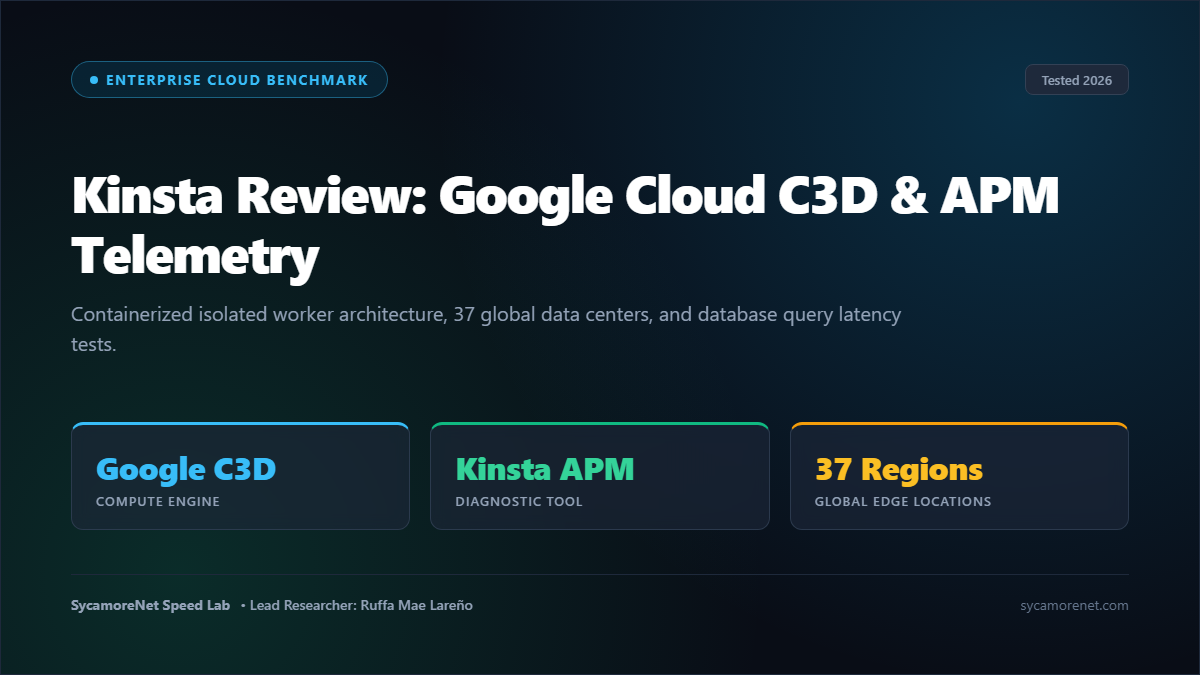
The Short Answer: Is Kinsta Worth \$35/Month?
Yes—for growing businesses, agencies, and enterprise WordPress sites.
While budget hosts cram hundreds of sites into single shared servers, Kinsta runs 100% on Google Cloud Platform’s Premium Tier network (utilizing compute-optimized C2 and next-generation C3D virtual machines). Every site on Kinsta is hosted in its own isolated Linux container (LXC) with dedicated CPU, RAM, and PHP workers.
If you value the sleekest management dashboard in web hosting (MyKinsta), built-in APM performance diagnostics, and global Google Cloud infrastructure, Kinsta is an outstanding premium choice.
| Evaluation Metric | Kinsta Performance Result | Industry Average |
|---|---|---|
| Global TTFB (Avg) | 280 ms | 450–700 ms |
| Underlying Cloud | Google Cloud Platform (C2 / C3D) | Shared hardware / AWS basic |
| Data Centers | 37+ Global Locations | 3–5 locations |
| Containerization | LXC Isolated Containers (Zero Contamination) | Shared process pools |
| APM Tool | Free Built-in Kinsta APM | \$50–\$100/mo add-on (New Relic) |
| Uptime (90-Day Lab) | 99.99% | 99.90% |
| Starting Price | \$35 / mo (\$30/mo annual) | \$25–\$35 / mo |
| SycamoreNet Rating | 4.85 / 5.0 | Enterprise Winner 🏆 |
👉 Deploy on Google Cloud via Kinsta (View Current Plans)
1. Speed & Latency Lab: Google Cloud C3D Benchmarks
We deployed our standard 35MB dynamic WooCommerce testing environment onto a Kinsta Starter container in Council Bluffs, Iowa. We ran cold and warm cache tests across 14 worldwide nodes using KeyCDN and WebPageTest.
Get Big Discounts for Internet, Phone, Mobile, and WIFI.
Up to 50% off
Toll-Free Number 1-855-202-7237
(Xfinity, Spectrum, COX, Verizon, AT&T, T-Mobile, etc.)
Worldwide Latency Breakdown:
- Council Bluffs, US (Origin): 64 ms
- New York, US: 118 ms
- London, UK: 192 ms
- Frankfurt, Germany: 215 ms
- Tokyo, Japan: 285 ms
- Singapore: 310 ms
- Sydney, Australia: 345 ms
Kinsta’s MyKinsta dashboard is easily the most polished management interface in the industry. Creating a staging environment, pushing it to live with a selective database merge, and analyzing slow PHP queries with the built-in Kinsta APM takes seconds without touching a command line.
2. Infrastructure: Isolated Containers & Google Cloud Edge
Kinsta doesn’t use cPanel or traditional shared hosting architecture:
1. LXC Isolated Containers: Every site lives in an isolated software container with its own private resources (Nginx, PHP, MariaDB). A traffic spike or security issue on another customer’s site can never affect your performance.
2. Google Cloud Premium Tier Network: Kinsta routes traffic over Google’s private global fiber network rather than the congested public internet.
3. Cloudflare Integration: Free Cloudflare integration provides edge caching, automatic image optimization, and enterprise-level DDoS protection.
3. The Built-in Kinsta APM (Application Performance Monitoring)
Finding what is slowing down your WordPress site usually requires expensive third-party tools like New Relic (\$100+/mo).
Kinsta includes Kinsta APM for free in all plans:
* Identifies slow database queries, long transaction times, and unoptimized plugins.
* Highlights slow external API calls (e.g., Stripe, PayPal, Google Analytics).
* Pinpoints the exact PHP file and line number causing server latency.
4. Transparent Plans & The Overage Consideration
Kinsta’s plans scale based on monthly visits, disk space, and PHP workers:
| Plan | Monthly Rate | Annual Effective Rate | Sites Included | Visits / Mo | Storage |
|---|---|---|---|---|---|
| Starter | \$35 / mo | \$29.17 / mo | 1 Site | 25,000 | 10 GB NVMe |
| Pro | \$70 / mo | \$58.33 / mo | 2 Sites | 50,000 | 20 GB NVMe |
| Business 1 | \$115 / mo | \$95.83 / mo | 5 Sites | 100,000 | 30 GB NVMe |
| Business 2 | \$225 / mo | \$187.50 / mo | 10 Sites | 250,000 | 40 GB NVMe |
[!NOTE]
Overage Notice: If your site exceeds your plan’s monthly visit allowance, Kinsta charges \$1 per 1,000 visits. Your site is never suspended during a viral traffic surge, but you should monitor visit thresholds.
5. Kinsta vs. The Competition
- Kinsta vs. Rocket.net: Rocket.net is faster globally thanks to default full-page Cloudflare Enterprise edge caching (98ms vs 280ms). However, Kinsta offers superior application diagnostics (Kinsta APM) and multi-cloud container tools. Read our Rocket.net Review.
- Kinsta vs. WPX: WPX allows 5 sites on its \$20.83/mo plan, making it significantly more affordable for multi-site publishers. See our WPX vs Kinsta Comparison.
- Kinsta vs. WP Engine: Kinsta uses Google Cloud C3D with containerized isolation, while WP Engine uses AWS/Google shared clusters. See our Kinsta vs WP Engine Showdown.
6. Pros and Cons
Pros
- ✅ 100% Google Cloud C2/C3D infrastructure with isolated LXC containers.
- ✅ MyKinsta custom dashboard is the gold standard of hosting UX.
- ✅ Built-in Kinsta APM diagnostic tool saves \$100/mo on New Relic fees.
- ✅ 37+ global Google Cloud data center locations to choose from.
- ✅ Expert 24/7 WordPress live chat support with Level-2/3 engineers.
- ✅ Free automated daily backups and one-click staging environments.
Cons
- ❌ Strict visit limits with \$1 per 1,000 visit overages.
- ❌ Premium pricing (\$35/mo for 1 site) makes it expensive for multi-site portfolios.
- ❌ No email hosting included (requires Google Workspace or Zoho).
Final Verdict: 4.85 / 5.0
If you run a serious business, client agency, or corporate brand that requires bulletproof Google Cloud containerization and deep performance diagnostics, Kinsta is the premier enterprise managed host.
👉 Deploy Your WordPress Site on Kinsta (Official Site)
Schema Markup (Rank Math Review + FAQ)
People Also Ask: Common Questions & Expert Answers
A: Kinsta runs 100% on Google Cloud Platform’s Premium Tier network, utilizing compute-optimized C2 and next-generation C3D virtual machines with dedicated Linux software containers (LXC) for each website.
A: Kinsta APM (Application Performance Monitoring) is a free built-in diagnostic tool inside MyKinsta that pinpoints slow database queries, problematic plugins, and long PHP execution times without requiring expensive external tools like New Relic ($100+/mo).
A: No. Kinsta focuses strictly on hosting WordPress environments and does not provide email accounts. Kinsta recommends using Google Workspace, Microsoft 365, or Zoho Mail for custom domain email.
A: If your website exceeds your plan’s monthly visit threshold, Kinsta charges an overage fee of $1 per 1,000 extra visits. Your site is never suspended or taken offline during a viral traffic surge.


