
How To Fix Vizio TV Remote Not Working? [Top 6 Solutions To Try!]

If your VIZIO TV remote has stopped working, responds slowly, works only for some buttons, or the volume changes by itself, the fix is usually simple: fresh batteries, a stuck button, a power cycle of the TV, or a blocked sensor. This guide follows VIZIO’s own remote troubleshooting page and its voice remote, mobile app and replacement remote help pages (checked November 12, 2026).

Quick Fix Checklist
- Replace or reseat the batteries.
- Check for stuck or damaged buttons.
- Power cycle the TV (unplug it for at least 5 seconds).
- Make sure nothing is blocking the remote’s signal to the TV.
- If you have a voice remote, reset it and pair it again.
- Try another VIZIO remote or the VIZIO mobile app.
1. Replace or Reseat the Batteries
VIZIO’s steps: remove the batteries, press and hold each button briefly to help release any stuck button, then put in a fresh set of batteries with the + and – ends matching the markings in the battery compartment. Try the remote again. If you won’t use the remote for a long time, VIZIO suggests taking the batteries out to prevent leakage.
2. Check for Stuck or Damaged Buttons
A stuck button, especially Volume Up, Volume Down, Power or Input, can make the TV behave unexpectedly, including the volume changing by itself. Inspect the remote and clean around the buttons with a soft, dry cloth. VIZIO says not to spray liquid directly on the remote. If a button stays stuck or the remote is physically damaged, you may need a replacement.
3. Power Cycle the TV
Power cycling can clear temporary communication or software problems:
- Turn off the TV.
- Unplug it from the power outlet.
- Wait at least 5 seconds.
- Plug it back in, turn it on and test the remote.
If the remote still doesn’t work, take its batteries out and put them back in after the TV restarts.
Get Big Discounts for Internet, Phone, Mobile, and WIFI.
Up to 50% off
Toll-Free Number 1-855-202-7237
(Xfinity, Spectrum, COX, Verizon, AT&T, T-Mobile, etc.)
4. Make Sure the Signal Isn’t Blocked
VIZIO says most of its remotes use infrared signals. To give the signal a clear path:
- Remove objects blocking the lower corners or front of the TV.
- Point the remote at the TV’s sensor and use it within a reasonable distance.
- Don’t use the remote from behind a cabinet door or other obstruction.
- Keep bright lights or direct sunlight away from the TV sensor while testing.
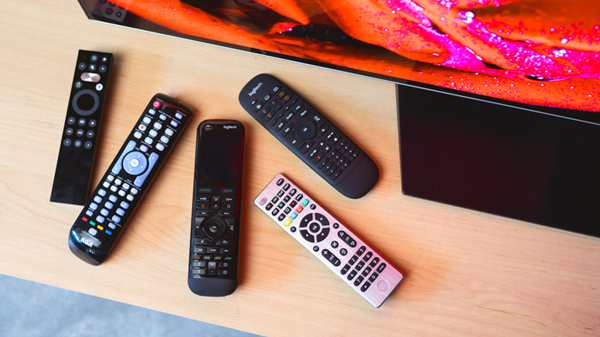
5. Test Which Buttons Work
Try Power, Volume Up and Down, Input, Menu and the arrow buttons. If only one or two buttons fail, those buttons may be worn or damaged. If none work, go back through the battery, sensor and replacement steps.
Some buttons only work with certain content. VIZIO notes that channel buttons may work only with antenna channels or a device connected through the TV’s coaxial input, and Play/Pause may work in supported streaming apps but not with live TV or every external device. A VIZIO remote may not control a cable box or game console; use that device’s own remote.
6. Reset and Re-pair a VIZIO Voice Remote
If you have a VIZIO voice remote that isn’t responding, VIZIO’s voice remote page adds two steps after a TV restart and fresh batteries:
- Reset the remote: press and hold the Input and Mute buttons for about 10 seconds, until the indicator light near the top of the remote flashes.
- Pair it again: press Menu, select All Settings (if shown), then System > Voice Remote > Pair New Remote, and follow the on-screen instructions.
- Check for updates: in the Voice Remote settings, select the option to check for updates, if available.
7. Use the VIZIO Mobile App as a Remote
While you sort out the remote, you can control a compatible VIZIO TV or soundbar with the VIZIO mobile app for iPhone, iPad or Android. Your TV must be connected to the internet, and your phone and TV must be on the same Wi-Fi network. Open the app, sign in if prompted, tap Device Name (or Select a Device) at the top, choose your TV and follow the pairing steps. The app can handle power, volume, mute, input, navigation and playback.
VIZIO notes that guest networks, VPNs and network isolation settings can stop the app from finding your TV. If your TV isn’t online and you have no working remote, you’ll need a replacement remote to finish network setup.
8. Try Another Remote or Get a Replacement
If you have another VIZIO remote, test it. VIZIO says most of its remotes can control basic functions on VIZIO TVs (power, volume, input and navigation), though app buttons and advanced features vary. If the other remote works, your original remote likely needs replacing.
VIZIO’s replacement remote page explains how to order one, and says compatible VIZIO remotes may also be available at Walmart. A universal remote is another option: VIZIO says to set it up with the right VIZIO remote code and the remote’s programming instructions. See our guide to the best universal remote for VIZIO TV and our VIZIO universal remote codes guide.

Related Guides
- How to fix YouTube TV freezing
- How to fix YouTube TV not working on Firestick
- YouTube not working on Roku: fixes to try
Frequently Asked Questions
Why is my VIZIO TV not responding to the remote?
The most common causes are weak or dead batteries, a stuck button, or something blocking the signal to the TV’s sensor. VIZIO recommends fresh batteries, checking the buttons, power cycling the TV (unplug it for at least 5 seconds) and clearing anything in front of the TV.
Why does my VIZIO TV volume change by itself?
VIZIO says a stuck button, especially Volume Up or Volume Down, can cause the TV to behave unexpectedly. Remove the batteries, press each button briefly, and clean around the buttons with a soft, dry cloth.
How do I pair my VIZIO voice remote?
Press Menu, select All Settings (if shown), then System, Voice Remote and Pair New Remote, and follow the on-screen instructions. If it still won’t respond, reset it first by holding Input and Mute for about 10 seconds.
Can I control my VIZIO TV without a remote?
Yes, with the VIZIO mobile app, as long as the TV is connected to the internet and your phone is on the same Wi-Fi network.
Sources: VIZIO Support: Remote Control Does Not Work, Buttons on my Voice Remote do not Work, How to use the VIZIO mobile app as a Remote, How to Order a Replacement Remote. Checked November 12, 2026.


